The shared kitchen app for couples, families and flatmates
Less chaos.
More dinner.
Know what's in the fridge, get dinner ideas from it, cook with a step-by-step coach, and shop from one live list that everyone in your home can see.
Free to start · iPhone, Android and webTake the 3D tour
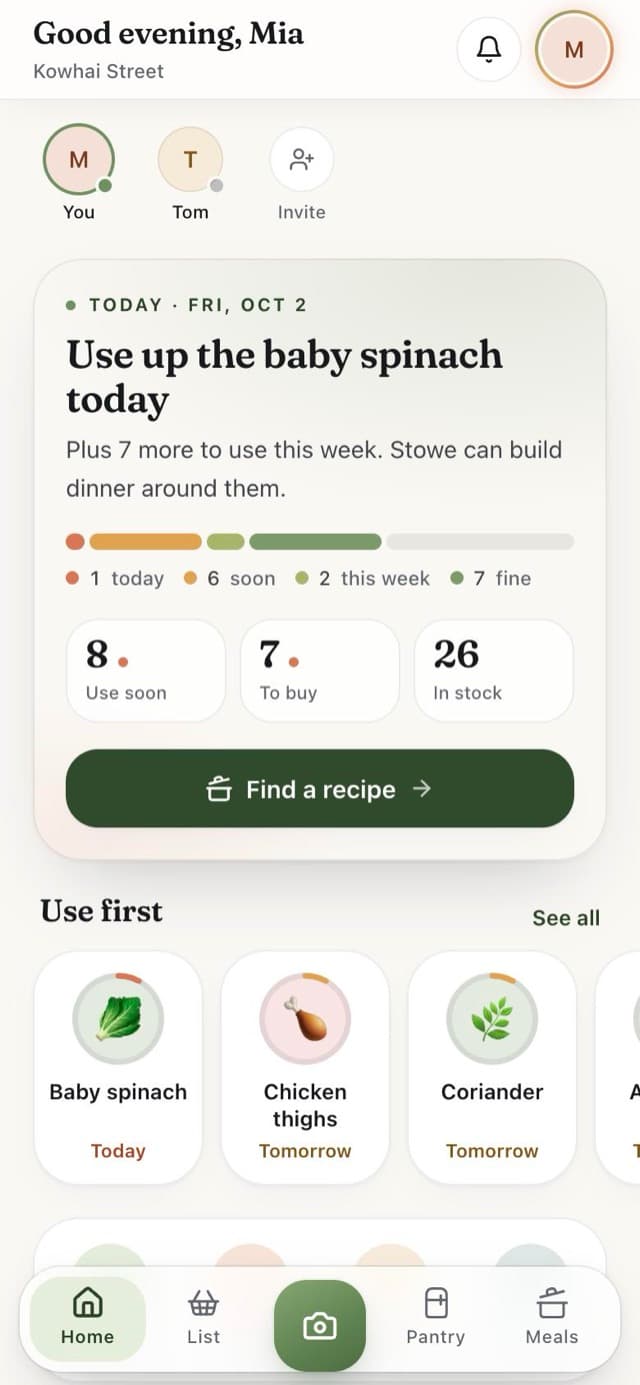
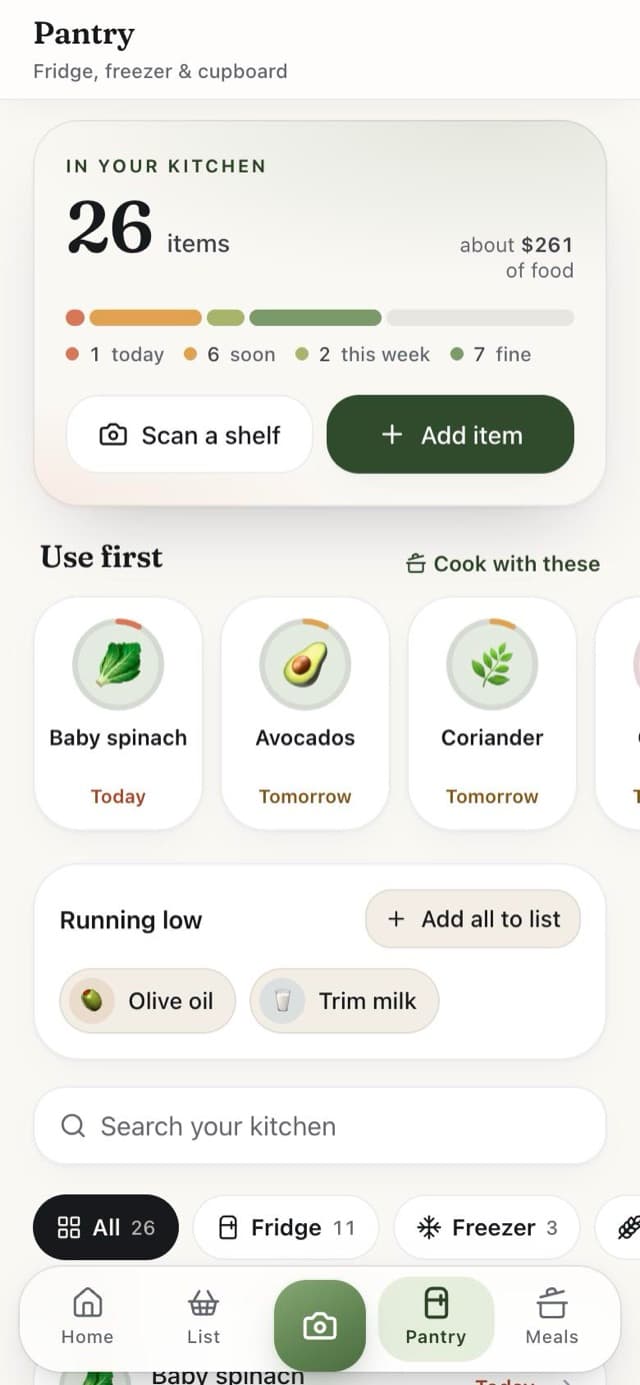
Know what's at home
A fresh look inside your pantry.
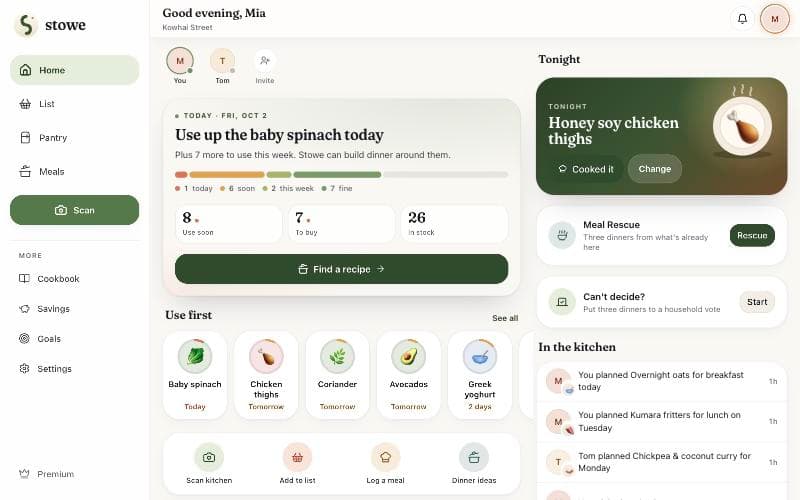
Snap the fridge, scan a receipt or paste an online order, and Stowe stocks your pantry for you. The Use first shelf shows what needs eating before it goes off.
- Fridge, freezer and cupboard in one place
- Colour-coded freshness, so nothing hides at the back
- A morning nudge before anything goes off
- Running low? Add it to the list in one tap
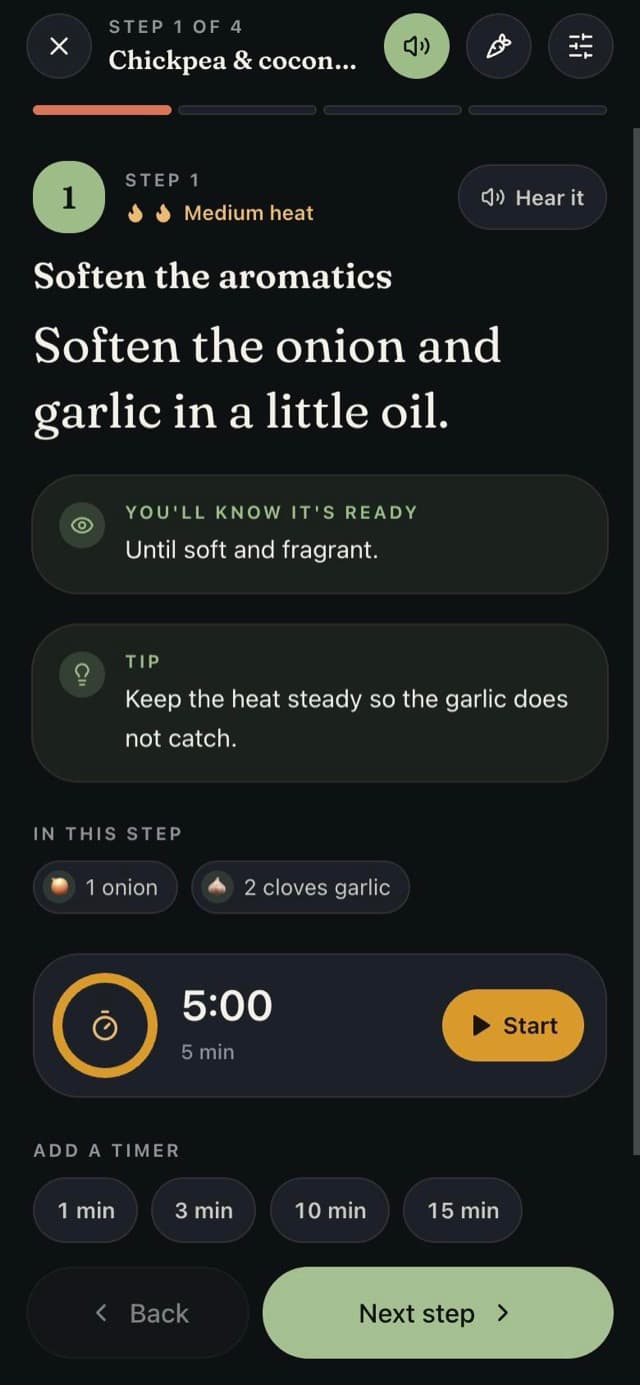
Cook Mode
A coach in the kitchen.
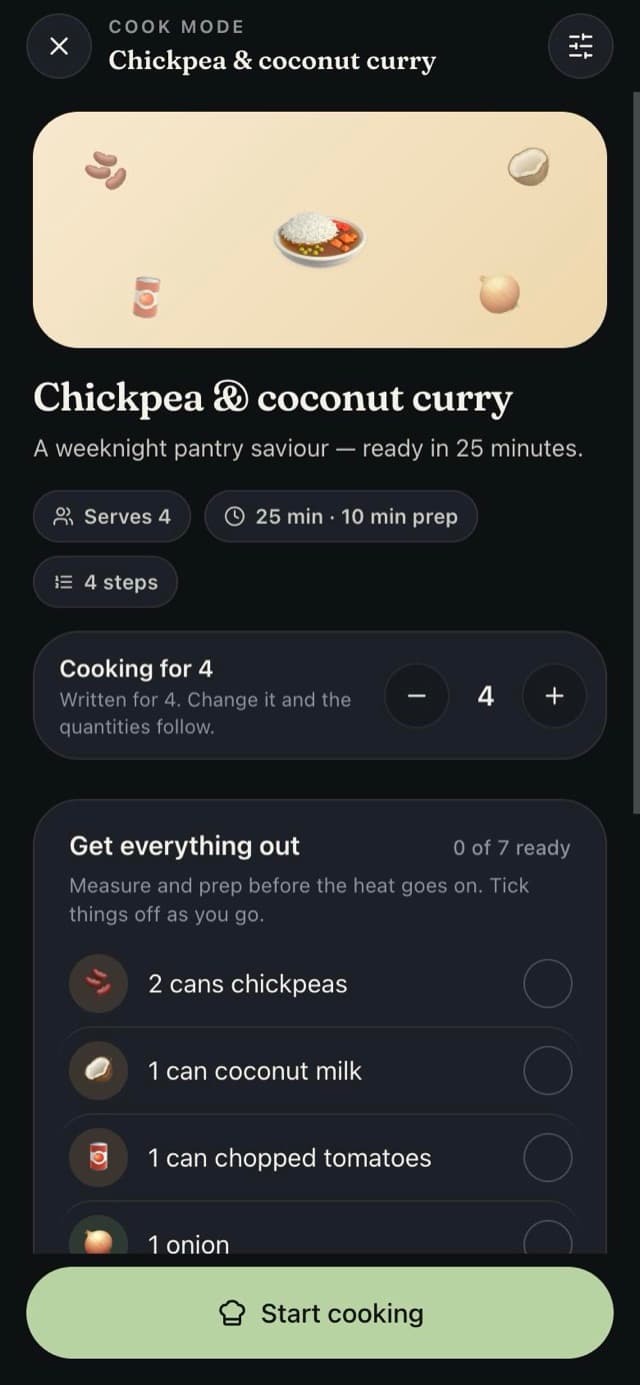
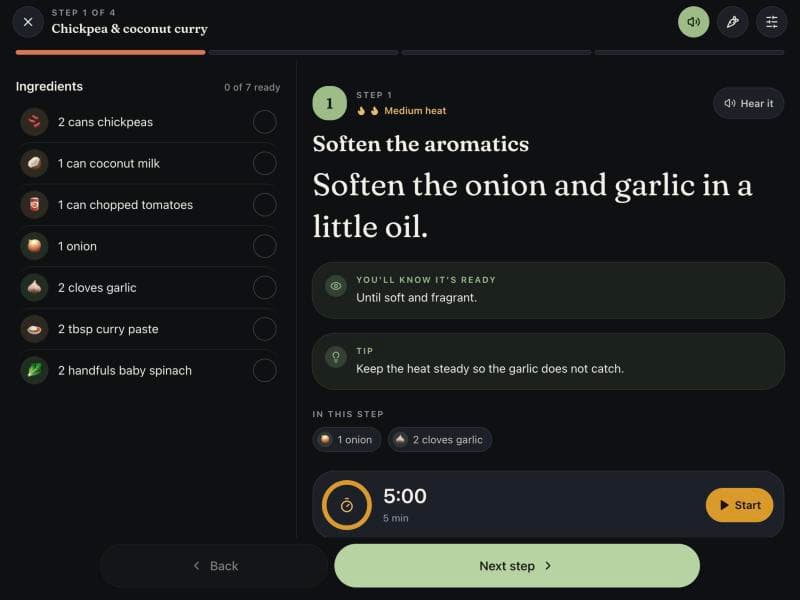
One step at a time in big type. Stowe shows the heat, how to tell it's ready, a tip, the ingredients you need and a timer you can start with a tap. Change how many you're cooking for and the quantities follow.
- Timers keep running when you change steps
- Servings that scale the amounts, not the times
- Reads each step aloud, hands-free
Shop together
You're at the shop. They're in the loop.
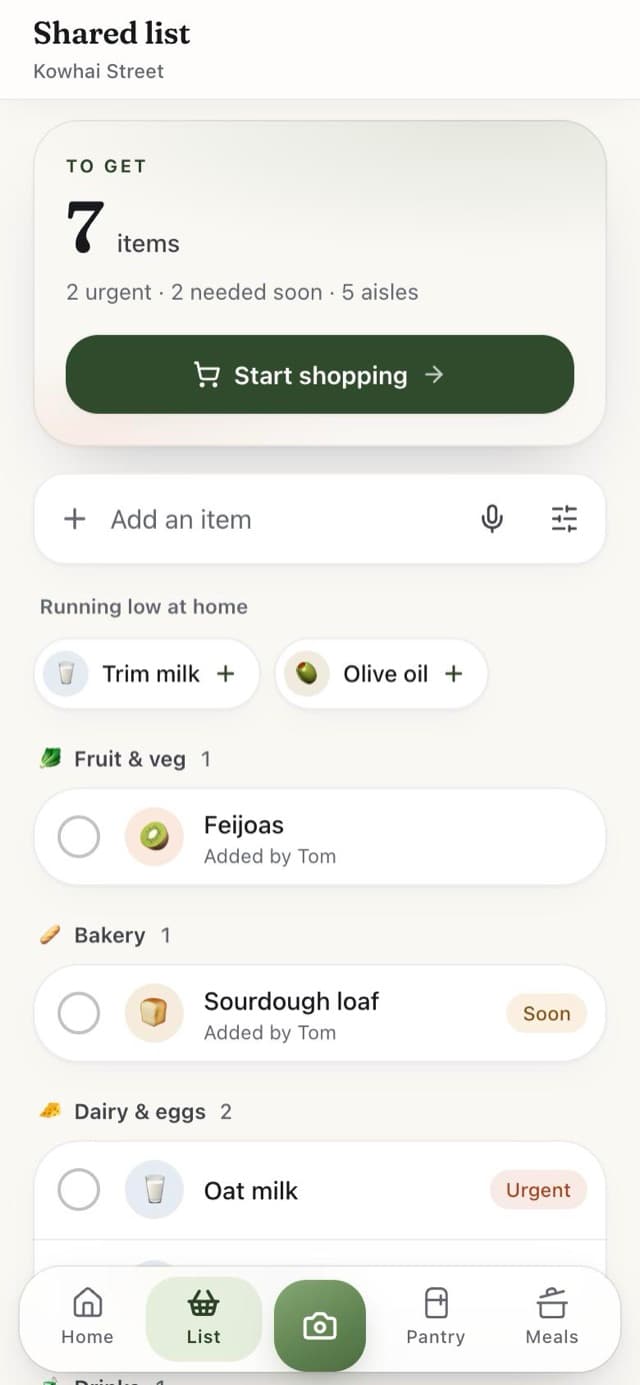
One shared list, updated live. Start a trip and everyone sees what's left. Add something and it lands on their phone straight away, so nobody asks whether you got the milk.
- Grouped by aisle, with urgent items on top
- Add by voice, or from what's running low
- Scan the receipt after and the pantry restocks itself
Your savings
See what you didn't waste.
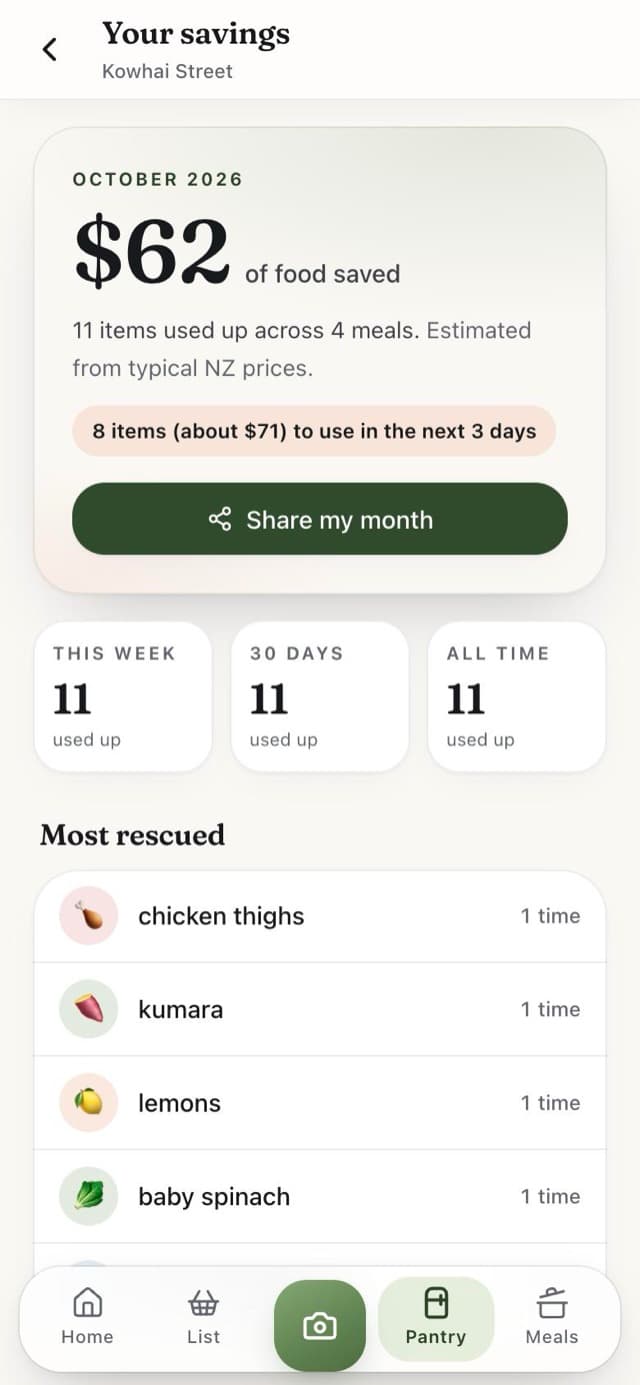
Every meal you log takes its ingredients off the shelf and adds up what they would have cost. Your month, in dollars, with a card you can share.
- Estimated from typical NZ prices
- Most-rescued ingredients, week by week
- Log a meal with a photo or one tap
Cook-along voices
Hands in the pan, ears on Stowe.
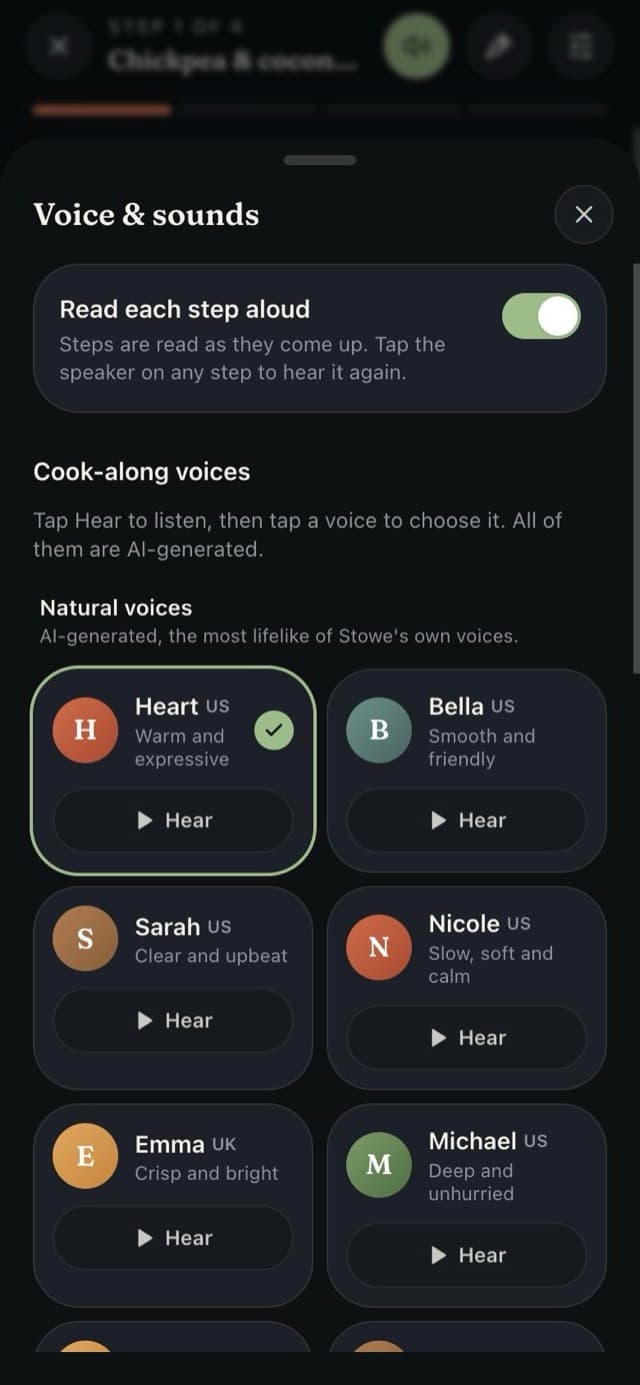
Stowe reads each step as it comes up, in a voice you choose. Tap to hear a few. There are 18 to try, and everyone can hear every one.
These are AI-generated voices, not recordings of people. They run privately on Stowe's own servers, so your recipes aren't sent to anyone else. Choosing a voice for Cook Mode is part of Premium; the free plan reads with your phone's voice.
Every screen
From the shop to the bench to the couch.
On a phone, a tablet or a laptop, Stowe fits. A side menu and two columns on a bigger screen, and Cook Mode keeps the ingredients beside the step, like a recipe stand.
Made for sharing
Invite the people who share your fridge. One list, one pantry, one plan, live for everyone.
Everything in one loop
What's at home, what to cook, what to buy and what you used, in one place instead of five apps.
Honest and simple
Free to start. No ads. Your photos are used to recognise food and nothing else.
Pricing
Free for your household. Premium later.
- Shared list, pantry and meal plan
- Scanning, up to 15 AI actions a day
- Cook Mode with your phone's voice
- Hear every cook-along voice
- Your monthly savings report
or $89.99 a year (save 25%). The first 7 days are free.
- Everything in Free
- 500 AI scans and ideas a day
- Choose any cook-along voice
- One plan covers up to 6 people
Is Stowe free?
Yes. The shared list, the pantry, scanning (up to 15 AI actions a day), Cook Mode with your phone's voice, your savings report and household sharing are all free. Premium adds the natural cook-along voices and a bigger daily AI allowance for the whole household. It isn't open yet, and the first 7 days will be free when it opens.
Are the cook-along voices real people?
No. They are AI-generated voices that Stowe makes privately on its own computers, and every voice is labelled that way. Anyone can hear every voice before choosing one. On the free plan Cook Mode reads with your phone's voice.
Will Stowe remind me before food goes off?
Yes. Each morning at 7:30 Stowe tells your household what needs using today or tomorrow, as a notification in the app and a push on devices that allow it. Each person can turn it off in Settings.
How do we share a kitchen?
Create an account and a household, then invite the people who share your fridge with your household code. You get one shared list, one pantry and one meal plan, updated live on everyone's phone.
I'm coming from Mealime. Can I bring my recipes?
Yes. Mealime closes on 21 October. Stowe has a short guide for moving your favourites across, and the recipe editor takes a photo of a recipe page too.
How do I install Stowe?
Use Get Stowe for the steps on your device. On iPhone, open Stowe in Safari and use Share, then Add to Home Screen. Stowe also works in any modern browser on a phone, tablet or laptop.
What happens to my fridge photos?
Stowe uses a photo only to recognise the food in it. You review and correct what it found before anything is saved. The privacy policy explains how photos and household data are handled.
Does it work on an iPad or a laptop?
Yes. On a tablet or laptop Stowe gets a side menu and uses the room: Cook Mode keeps the ingredients beside the step, like a recipe stand on the bench.
Does Stowe need the internet?
The installed app opens without a connection, but scanning, suggestions, live household updates and the natural voices need the internet. Your phone's voice keeps reading steps either way.